Attendance at college is essential for you to ensure you are successful on your course and maximising your learning and experience.
We understand sometimes that you can’t attend college because you are unwell for example, or that you will be late or need to leave early for an appointment. Whatever the reason you are going to miss your lessons it is essential you let us know.
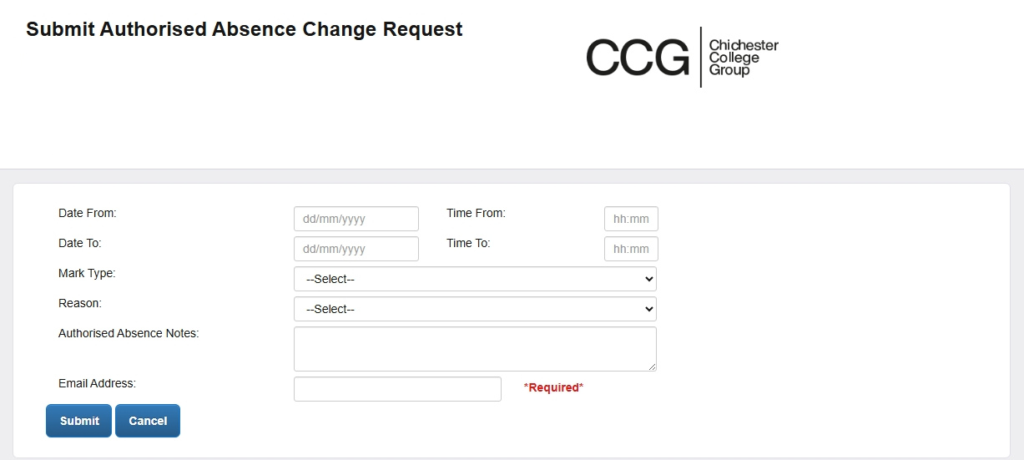
Reporting absence through ProPortal can be done in the following steps:
1. Select Learner Details
Log in to ProPortal using your college username and password. Use the left hand side navigation pane in ProPortal to select ‘Learner Details’ then select ‘Submit Authorised Absence Change Request’.
2. Select Submit Absence Change Request
Complete the Submit Absence Change Request form. Ensure all fields are complete on the form and submit.